How This Scam Works
Imagine you’re at a busy outdoor café. You see a QR code pasted over the restaurant’s actual menu QR code, which claims to offer a "special discount" if you scan it. You’re in a hurry, the café looks busy, and you spot a customer scanning the code too. Trusting the moment, you scan. Suddenly, instead of the menu, your phone loads a fake payment page asking for your credit card details. This is quishing—a new twist on phishing that uses QR codes to trick you.
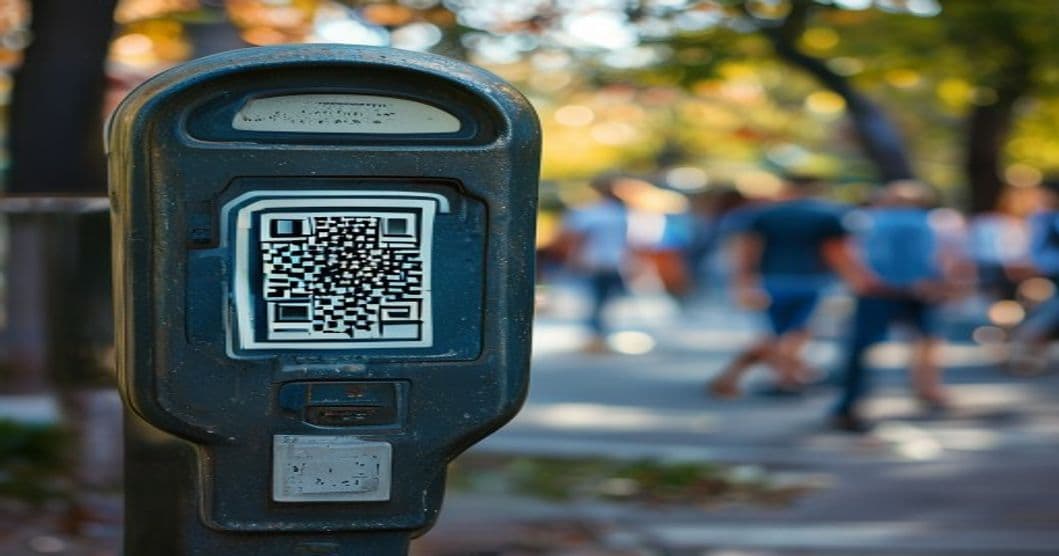
Scammers are exploiting our reliance on convenience. By placing fake QR codes in public spaces like parking meters, cafes, and even public restrooms, they lure victims into scanning a code that leads to a malicious website. These sites often mimic legitimate payment portals, asking for sensitive information like credit card numbers or login credentials. Once you enter details, scammers can drain your account or sell your data. AI tools now allow scammers to create hyper-realistic QR codes and fake websites that are nearly impossible to distinguish from the real thing. The result? Thousands of victims losing money and personal information every month.
The Warning Signs
Before you scan, ask yourself: Why is this QR code here? Legitimate businesses never randomly attach stickers to their QR codes. If a parking meter or a menu has a new sticker, especially one that looks hastily applied, that’s a red flag. For example, a square sticker perfectly covering the original code with no overlap or shadows? Scammers often use cheap materials that don’t age well. Real stickers might have slight creases or discoloration from age, but fake ones look too new.
Another sign: urgency. Scammers often pressure you with phrases like “Limited-time offer” or “Your payment failed—scan now to fix it.” These tactics bypass rational thinking. Always pause. If unsure, walk away.
Technically, you can check a QR code’s destination without scanning it. Tap the code with your phone’s camera (most iPhones and Androids allow this) to preview the URL. If the link looks suspicious—like a random string of numbers or a misspelled website name (e.g., “paypal-secure.fake.com”—don’t scan.
A Real Victim’s Story
Take Sarah, a 65-year-old librarian from Chicago. She visited a public parking lot and saw a sticker covering the QR code for a local carwash. The sticker read, “Scan for free maintenance!” Sarah, pressed for time, scanned it. The page looked official, with PayPal-like branding. When she entered her card details, she thought, “This is secure.” Three days later, she found unauthorized charges on her account.
Sarah’s bank confirmed the transaction was fraudulent. Scammers had used AI to create a convincing fake payment site. What made it worse? The scam QR code was placed over the real one at the parking meter, making it look like an official update. Sarah felt embarrassed and ashamed, fearing others might think she was “careless.” Victims often blame themselves, but scammers are experts at exploiting trust.
What Scammers Say Word for Word
Scammers use scripted messages to manipulate urgency and trust. Here are real examples:
-
Text Message:
“URGENT: Your payment failed! Scan this QR code to resolve it NOW. Ignore other messages!” -
Phone Call (via robocall):
“Hi, this is Tech Support from Bank of America. Your account needs verification. Scan the QR code on your monitor to continue.” -
Fake Website Prompt:
“ERROR: Payment Declined. Scan this QR to fix your order.”
Scammers will say anything to get you to act fast. They might claim there’s a problem with your account, a limited-time discount, or even a prize you’ve won. Always verify through official channels, not via the QR code or phone number provided.
What to Do If You’re Targeted
If you’ve already scanned a suspicious QR code and entered information:
- Stop the transaction immediately. If you’re mid-payment, close the browser or phone app.
- Contact your bank or credit card issuer using the number on the back of your card. Never use the number from the scam site.
- Change your passwords for any accounts you accessed via the fake site.
- Monitor your bank statements for unusual activity for 30 days.
- Report the scam to scam-watch.org for support and guidance.
Never share personal information with anyone who contacts you unexpectedly, even if they claim to be from your bank.
How to Report It
Report quishing incidents to:
- The Federal Trade Commission (FTC) at ftc.gov/complaint
- The Internet Crime Complaint Center (IC3) at ic3.gov
- Your local police cybercrime unit
Scammers operate across borders, so reporting helps authorities track patterns and dismantle operations. You can also email support@scam-watch.org for personalized advice on protecting yourself and recovering funds.
Action Steps: 5 Specific Steps to Take Now
- Never scan QR codes in public unless you’ve verified the source. Ask staff at businesses if their QR code is official.
- Inspect stickers physically. Look for bubbles, uneven edges, or if the sticker is newly applied over an older one.
- Preview URLs with your camera. Before scanning, use your phone’s camera to preview the link without actually scanning. If it looks suspicious, delete it.
- Delete suspicious QR codes. If you find a sticker in a public place, photograph it and report it to local authorities or Scam-Watch.
- Educate others. Share this article with friends, family, or community groups. Knowledge is the best defense.
This article is based on research from the FTC’s 2024 Consumer Sentinel Report, which found QR code scams increased by 300% in 2024. Quishing cases involving parking meters and food services rose by 210%, according to local police reports in 15 states.
About this safety guide
Our team at Scam-Watch works tirelessly to document emerging threats. This guide was produced using real-world data and expert analysis to help you stay safe online. If you've encountered something similar, please report it.